
![[Part 2] Executing batch jobs in a multi-container environment using NodeJS and express](https://cdn.prod.website-files.com/688072636437fab3e6819376/6880a9ff7822d97e0b83d6ca_64228d71bffdb060e1036a0d_js2.svg)
This is the second tutorial in a 3-Part series. If you haven’t completed the first tutorial 1, I would recommend going through it first here.
Create a CRON job to be executed at 12 am every day
In this step, we will register a CRON job that executes at 12 am every day. This CRON job will simply console log the time of execution and a static message.
Step 1
Add a new QUEUE_NAME called MIDNIGHT_CRON
export const QUEUE_NAMES = {
  SCHEDULE_JOB: 'scheduleJob',
  MIDNIGHT_CRON: 'midnightCron'
};
Step 2
Add a new processor for CRON
const CRON_EXPRESSIONS = {
  MIDNIGHT: '0 0 * * *'
};

export const QUEUE_PROCESSORS = {
   ...,
  [QUEUE_NAMES.MIDNIGHT_CRON]: (job, done) => {
		console.log({ job, done });
    console.log(`${moment()}::The MIDNIGHT_CRON is being executed at 12:00am`);
    done();
  }
};
Step 3
Register the CRON job in the server/utils/queue.js
export const initQueues = () => {
  ...
  queues[QUEUE_NAMES.MIDNIGHT_CRON].add({}, { repeat: { cron: CRON_EXPRESSIONS.MIDNIGHT } });
};
We will invoke the initQueues method from the server/index.js to initialize the queues on startup. After initializing the queues we will add a CRON job to be executed at 12 am.
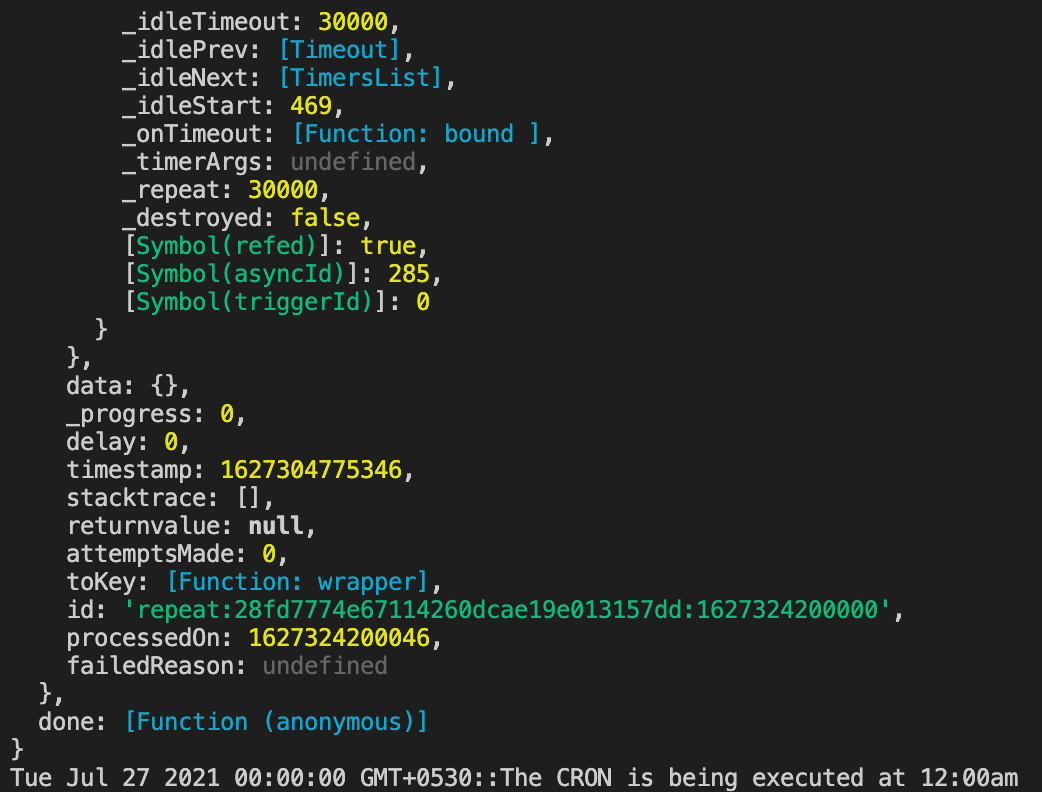
You should see the below logs at 12 am!
🚀Feel free to update the regex and execute the CRON sooner than 12 am to test how it works.
Commit your code using the following git commands
git add .
git commit -m 'Add support to run a CRON job at 12 AM everyday'
Loved the tutorial? There's more where that came from at LeadReads. Join top C Execs in gaining exclusive insights and real-world digital product stories.
Join here.
Where to go from here
You now have the ability to set up CRON jobs in a multi-container environment.
I hope you enjoyed reading this article as much as I enjoyed writing it. If this piqued your interest stay tuned for the next article in the series where I will take you through how to write GraphQL subscriptions in a multi-container environment using graphql-redis-subscriptions
If you have any questions or comments, please join the forum discussion on Twitter.